
DE10A Startup Images

This is part 3 of the Swissphone BOSS 915/935 series. If you're lost and want to start from part one, have a look at More from the pagerverse.
Swissphone allows you to put an arbitrary image on your pager that is displayed during startup or if you hold the upper of the two smaller buttons. It's as big as the screen, so in the case of the DE10A hardware 128 pixels in width and 80 in height. However, these pixels are double height, so the vertical resolution is actually only 40 pixels.
One of the pagers, I got from the DLRG had that, which was very neat. However, it was a very bad version of the DLRG Eagle. Someone probably just put a full sized image into the configuration software, which happily scaled it down, resulting in a bad conversion (as you can see in the image below). So I decided to make my own.
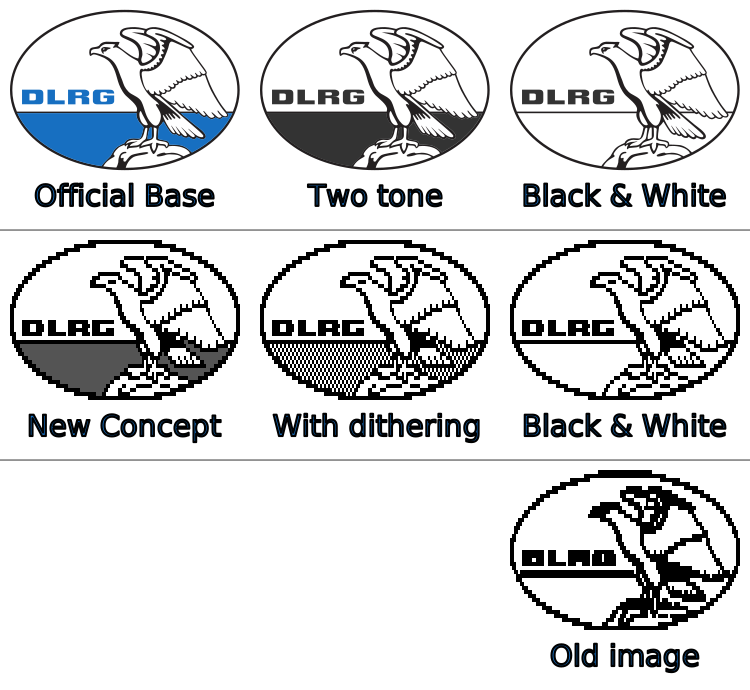
I started by trying to get the old image data which was not that hard. There's a field in the (extracted xml) config file Configuration/Settings/MMI/Startup/Picture/ which contains the hex encoded data of the image. As the image was black and white only, I suspected that each bit represents one pixel. There are three bytes before the pixel data which are zero, width, height. I'm not quite sure what that first byte means. Here's a simple extraction script.
With that out of the way, I made a two-tone concept using Aseprite based on the bad image. I redid the oval and the text from scratch and tweaked the eagle until it looked nice. But because the pagers screen is only black and white I had to either remove the gray or dither it. So I did both and decided, I liked the dithered version better.
I also made some fun ones to use in my articles. Have a look!
You can download the zip to get the Aseprite and PNG files. Have fun!
More from the pagerverse
- The DE10A pager
- The BOSS pager exploit
- 📌 DE10A Startup Images
- 🔜 The Swion Terminal Dump